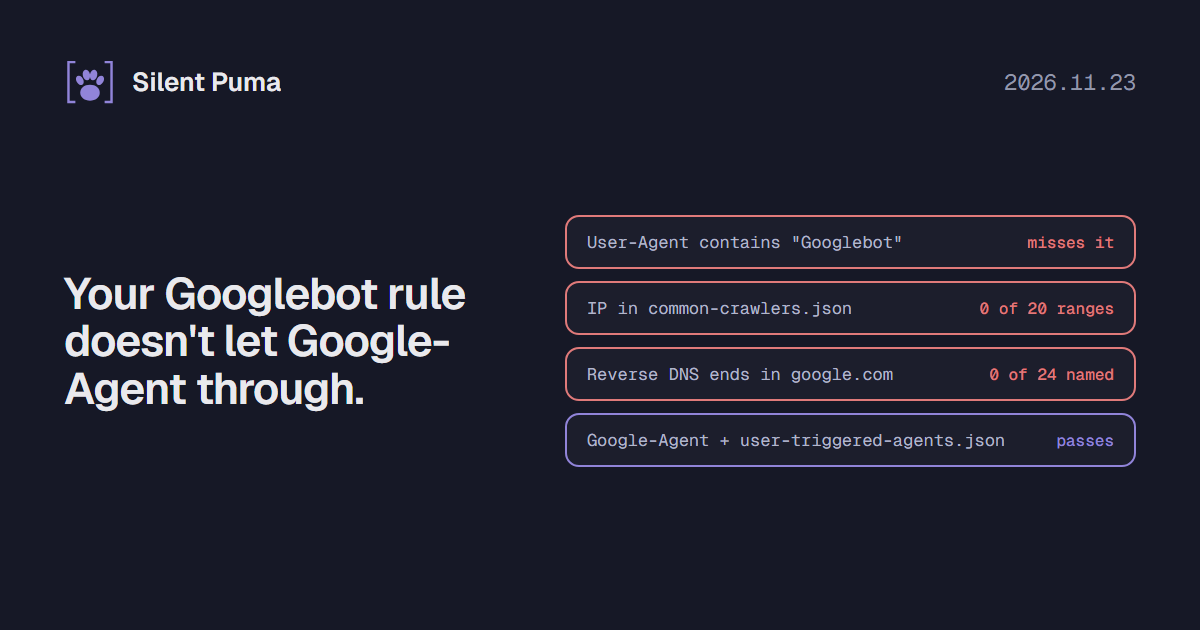
On November 17, 2026, Google published a guide to letting Google-Agent, the agent that acts on a site on someone's behalf, through CDNs and firewalls. We checked its IP ranges: they appear on no other Google list and have no reverse DNS.
On November 17, 2026, Google published a technical guide for letting Google-Agent through CDNs, web application firewalls (WAFs) and bot-detection services. We pulled the IP list the guide points to and found the reason the guide exists: none of Google-Agent's ranges appear on Google's other lists, and the addresses we tested have no reverse DNS name. If your rule lets "Google" in by trusting Googlebot, this agent stays outside.
Google-Agent acts on your site because someone asked it to
It is not an indexing crawler. Google uses the name for agents that run on its infrastructure and browse pages and fill in forms when a user hands them a task. The user agent was added to the documentation on March 20, 2026, in a mobile and a desktop version, both with "Google-Agent" inside a Chrome string. Google's pages don't say which product uses it; in March, the trade press named Project Mariner as an example.
What separates it from Googlebot is who starts the visit. Googlebot picks what to crawl on its own. Google-Agent shows up only because a person on the other end asked for something that runs through your site, like booking a table or finding a product with a filter.
Why your Googlebot rule does not cover it
It comes from different addresses and identifies itself differently. On November 23, 2026, we downloaded user-triggered-agents.json, the file where Google publishes this agent's ranges. It held 20 ranges, 12 IPv4 and 8 IPv6. We compared it with common-crawlers.json, the Googlebot list, and with the two lists of user-triggered fetchers. Not one range repeats.
Then we tested 24 IPs inside the IPv4 ranges, two per range. None returned a reverse DNS name. That matters if you follow the classic verification recipe, which looks up the reverse name and accepts the request when it ends in googlebot.com or google.com. In our November 9 post we showed that recipe lets in machines rented on Google Cloud. Here the error runs the other way. The recipe turns away the real agent, because there is no name to check.
So the usual ways of allowing Google fail here. Matching the word "Googlebot" in the user agent misses the Google-Agent string, and common-crawlers.json misses the ranges. Reverse DNS finds no name at all.
robots.txt does not decide this visit
In practice, it doesn't. Google files Google-Agent under user-triggered fetchers, and the page for that category says they generally ignore robots.txt, because a person requested the fetch. There is no rule written specifically for Google-Agent, hence the "generally". OpenAI takes the same line, warning that ChatGPT-User may not follow robots.txt.
In our October 30 post we split crawlers that read to train models from crawlers that read to answer. Google-Agent adds a third group: visitors that come to act. For them, the decision lives in your firewall and CDN settings, not in the file at the root of your site.
Where the block usually sits
Almost always in a rule nobody wrote with Google in mind. The guide lists the places where this traffic tends to get stopped, and the list works as a review checklist:
Blocks by cloud or data-center ASN: the allow rule has to be evaluated before them.
Managed bot rules and category blocks, such as the switch that refuses every "AI agent" at once.
CAPTCHAs and JavaScript challenges, including the ones that only appear on site search or form submission.
The steps in the middle of a visit: filters, detail pages, cart, booking, and the XHR, GraphQL and api subdomain calls behind them.
Per-IP rate limits: many users share the same pool of outgoing addresses, and a limit sized for one person gets exceeded.
A load balancer or proxy that swaps the client IP or drops headers before the rule sees them.
The fourth item is the one people miss. Plenty of setups allow the product page and forget the API that builds the cart. The agent gets in, finds the item, and stalls when it tries to finish the task.
Allowing it is your business decision, not Google's
The guide asks you to let the agent in. The choice is still yours. A store or a booking service will usually want it through, because someone on the other end is trying to buy. A paywalled publisher, or a site that has already decided to refuse AI, may prefer to keep the door shut. What makes no sense is blocking without knowing it, through a CDN default someone turned on with one click.
If you allow it, don't trust the name alone. A user agent can be faked in seconds, and Google itself says so on the fetchers page. The minimum is to require both: the Google-Agent string and an IP inside user-triggered-agents.json. Google is also experimenting with signing some requests through Web Bot Auth, a draft built on HTTP message signatures (RFC 9421) with the identity https://agent.bot.goog. Since it is an experiment, you can't require the signature on every request; you can check it when it is there.
The list changes, too. The file we downloaded on November 23 had been generated on November 20, and a rule that copies the ranges once and never refreshes them goes stale fast.
What to do on Monday
Open your CDN or WAF dashboard and look for AI category blocks, cloud ASN blocks and managed bot rules. Write down the order in which they are evaluated.
Search the last 30 days of security events for requests with Google-Agent in the user agent. If they show up challenged or blocked, you have your answer.
If you decide to allow it, build the rule on the user agent plus the IPs in user-triggered-agents.json, place it above the blocks, and schedule a refresh of the list.
Check that the rule covers the whole path, not only the pages: site search, filters, cart, forms and the APIs behind them.
If any verification script relies on reverse DNS, switch it to the IP lists. It fails in both directions.